~/devmil $ ls ./lama-apps

Five apps.
One herd. shades: on

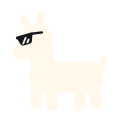
Desktop and tablet tools for processes, mail, Git, screenshots and handwritten notes. Each does one job well. They share a sunglasses-wearing Lama and one design system, Meridian.

01 · The herd

Meet the herd.

Each app does one job and stays out of your way. They share their controls, shortcuts and look, so moving from one to the next feels familiar. Each has its own colour, so you can tell them apart in your dock.

Process explorer

ProcessLama

Beta

See what your machine is up to.

ProcessLama lists the processes on your computer as a tree and shows CPU, memory, network and storage use for each one. Rows keep their place while the values update.

  • A process tree you can lock while the numbers keep refreshing
  • Metrics and history per process and per subtree
  • An inspector for files, sockets, threads and security details
  • macOS
  • Linux
  • Windows
Visit ProcessLama

Desktop client for Proton Mail

MailLama

Preview

Your private mail, at home on the desktop.

MailLama brings your Proton Mail account into a calm desktop window. Proton’s own Rust SDK signs you in, encrypts and syncs. MailLama is independent and not affiliated with Proton AG.

  • Conversations, nested folders and coloured labels
  • Remote images blocked and trackers removed by default
  • Drafts that save as you write, and sending scheduled for Monday
  • macOS
  • Linux
Visit MailLama

Git client

GitLama

Beta

Your repository, in view.

GitLama is a desktop Git client. It keeps the history graph, your changes and the selected diff in one window. Free software under GPL-3.0-or-later, built with Flutter and Rust.

  • Stage files, hunks or single lines
  • Interactive rebase with a preview before it runs
  • Named snapshots to keep a way back
  • macOS
  • Linux
  • Windows
Visit GitLama

Screenshot and screen recording studio

ShotLama

In development

Capture a moment. Make your point.

ShotLama is a screenshot and screen recording studio. Capture an area, a window or a display, then copy, save, pin or annotate it from a small card in the corner.

  • A frozen screen, a loupe and exact sizes while you select
  • Quick Access cards you can copy, drag, pin or swipe away
  • Arrows, counters, highlights and backgrounds that explain the capture
  • macOS first
  • Windows
  • Linux
Visit ShotLama

Handwritten notebooks

NoteLama

In development

Your notebooks. Your storage.

NoteLama is a notebook for handwritten ideas and the paper you want to keep. Write with a pen on a tablet, read and edit on your phone. Everything works offline, without an account.

  • A steady pen, a pressure pen, a pencil and a highlighter
  • Ruled, squared, dotted or Cornell paper, per page
  • PDF export and an editable backup of every book
  • iPad
  • Android tablets
  • Phones
Visit NoteLama

02 · Anatomy of a Lama

No pencils were harmed.

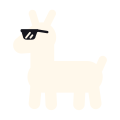
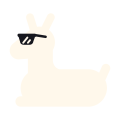
The Lama is constructed, not drawn. Every part is a circle, or the hull stretched around two circles: the same rounded forms as Meridian’s pills, islands and corners.

  1. 20 circles. A big skull, a small muzzle, a neck, a chest and a rump. Short legs, short ears. Cuteness is proportion.
  2. 10 hulls. Pairs of circles become tapered pills. No eyes, no mouth, no fur, no outlines.
  3. One pair of shades. A wayfarer lens, a brow bar, a temple arm and two glints. The shades are the face.
Proud
Hello
Standing
Resting
Shades up

03 · The design system

Meridian. Same bones, different shades.

The Lama gives the apps a family face. Meridian UI gives them a family language: one Flutter library of tokens, controls and layouts, tuned per app with a brand file for accent, density, shape and type. The Lama never replaces a Meridian control; it just signs the window.

Meridian brand
Accent
Density
Corners
Typeface

An example window with made-up content, styled with Meridian 1.4.0. The small Lama at the foot of the sidebar is in every app window; click it to open About.

Islands on a ground

Work sits on distinct surfaces over a tinted canvas. Structure comes from placement and weight, not from lines.

One accent, spent on intent

The app’s colour marks the main action, the active choice and keyboard focus. Nothing else gets it.

Density per brand

Compact for a process table, touch for a notebook. The same controls, at the row height each app needs.

Contrast is checked

The token generator fails when text, an icon, a control edge or the focus ring drops below its floor, in any brand and theme.

Motion explains

Durations, curves and springs are tokens, and every animation has a reduced-motion path.

Your work comes first

The Lama greets you on welcome and empty screens, then steps aside. It never sits on your documents, captures, errors or permission prompts.