
Another desktop tech stack enters the scene
As mentioned in my last blog post, I’m currently experimenting with different tech stacks on the desktop.
That last post compared Swift + Rust, KMP + Rust and Flutter + Rust running on a Mac.
The result of this experiment was that the Flutter + Rust combination did quite a good job in terms of RAM and CPU usage while having some downsides on the bundle size side.
In addition to the Process Explorer I’m currently working on a bunch of other desktop applications.
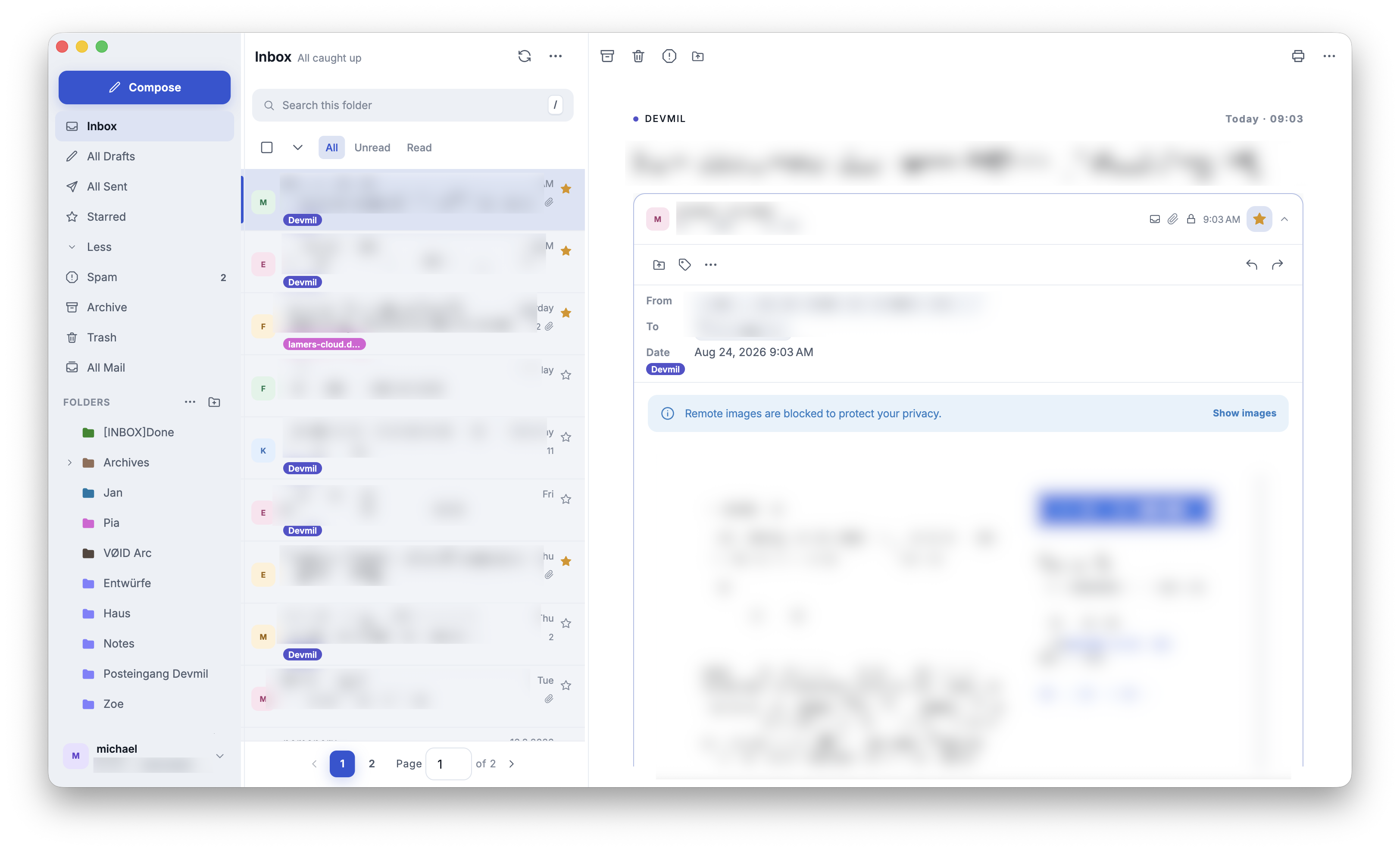
One of those is a Proton mail client. Proton internally is already working on native clients but currently Proton’s official desktop client wraps its web application in Electron. It works, but I am not happy with its performance, memory use, or integration with the operating system.
I got so annoyed that I decided to build my own. Proton has open-sourced its clients, and its newer mobile architecture puts shared application logic in a Rust SDK with native UIs on top.
The official iOS and Android clients already use this approach. Native desktop clients appear to be in development as well.
Using that shared Rust library as a base made it really “easy” for me and my AI to build a Flutter application on top of it.
I don’t plan to release that one but I use it as a daily driver and it works and looks really nice.
Then Linux happened
I’m currently (again) in a “I’ll give Linux another shot” phase. My thinking: For all the tools that are missing I create a version myself. Easy! 😁
Starting with the big one
So I told Codex to take CrossProton and make it Linux compatible.
With Flutter + Rust I expected no big issue. Some platform-dependent integrations to fix and that’s it. Right?
Not quite.
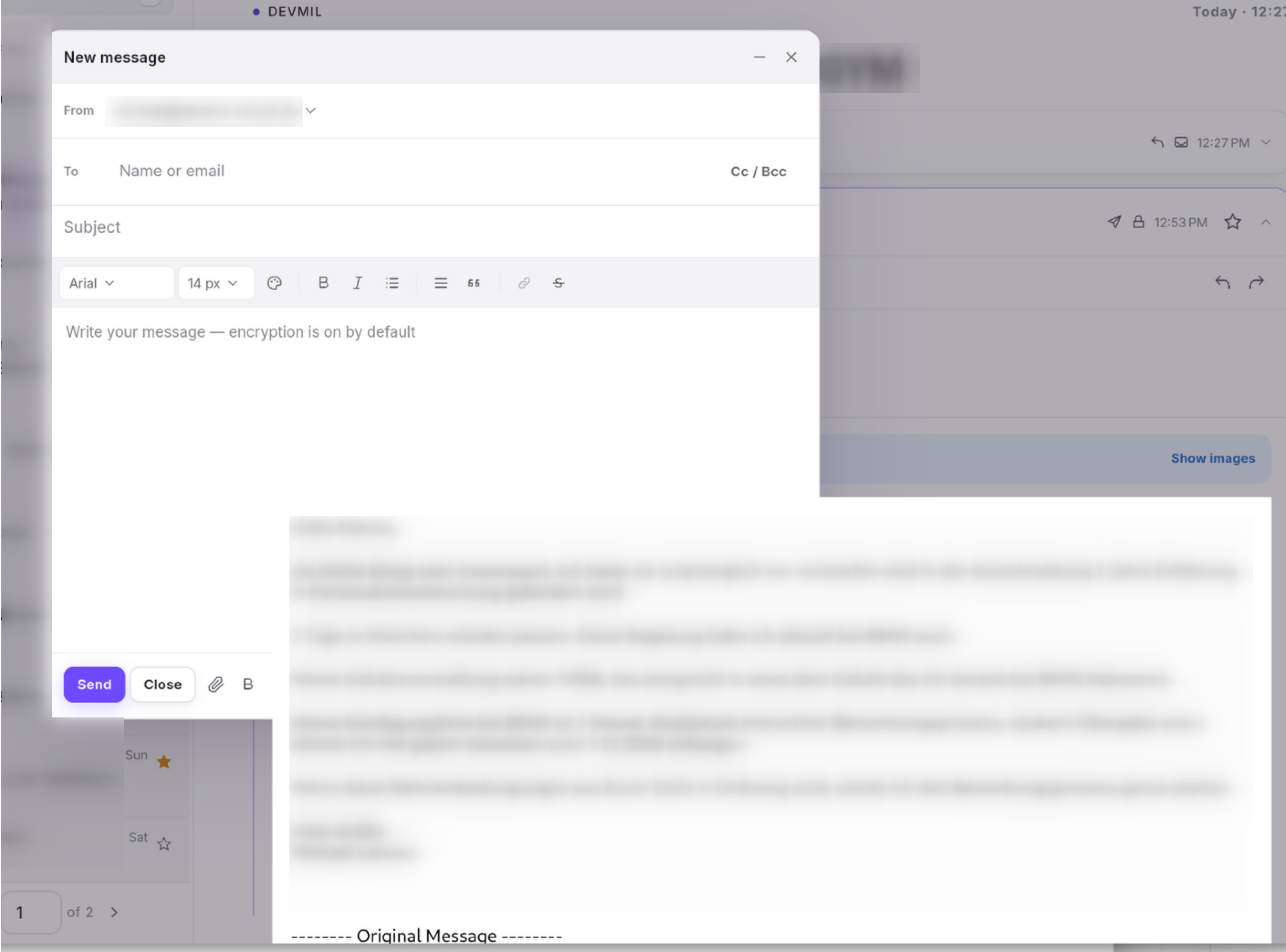
The hard part was HTML mail. Our first Linux WebView lived in a native GTK overlay outside Flutter’s renderer. It could display WebKit content, but it could not participate correctly in Flutter clipping, scrolling, dialogs, or window layering. The most obvious result was an email body drawing straight through the compose dialog 😭.
We replaced that backend with the Linux beta of flutter_inappwebview, which uses WPE WebKit and exposes the result as a Flutter external texture. That fixed the architectural problem, but uncovered a series of lower-level rendering bugs. We saw black frames, empty frames, corrupted shared-memory pixels, resize distortion, missed repaints, and freezes in WPE buffer management. The sequence was frustrating, but each failure narrowed the problem by one layer.
But then the next problem hit: There was a delay. Whenever Flutter updated (e.g., during window resizing) it took a bit until the webview content got updated. This led to weird skew effects.
We tried a bunch of approaches to minimize this. It got way better (was not fixed completely, though) and then I saw that the CPU usage of CrossProton was constantly 100% when a message was opened 😭.
Trying a smaller one
So I paused that approach and decided to do a smaller app adaption first: Mimameidr (the Flutter + Rust process explorer from the last post).
This worked way better. After some Linux-specific issues with how to get the process details it worked. The only thing that annoyed me (and still annoys me) is that the Flutter rendering performance really falls apart when e.g. the window is resized.
Here is a screen recording of Mimameidr resizing. This is especially bad as Spectacle is heavy on the CPU recording the screen and therefore puts more pressure on the system which makes the stuttering even worse.
Here is the same test with Hoddmimis (more on that later)
All of this craziness led me to this conclusion:
Flutter on Linux is not ready for the desktop applications I want to build.
Mimameidr is usable, apart from its resize performance. CrossProton, however, reached a dead end once it neededs to combine Flutter content with native UI elements.
I would not consider that version shippable, even if I planned to release it.
A new tech stack
Flutter has worked well for me on macOS. I have not tested it on Windows, but my Linux experiments exposed enough problems to make me reconsider the stack.
In the day and age of AI, Rust is everywhere. Almost too much everywhere. But I can relate. It is a systems programming language that has the performance of C++ and way better compiler-enforced promises about memory safety.
Writing Rust by hand is cumbersome and hard but with the help of AI this is no longer a big problem. AI can run the compiler in a tight feedback loop, and Rust’s type and ownership systems catch many mistakes before the code runs. That does not remove the need to review generated code, especially around unsafe code and FFI, but it creates a way higher starting point than with C++.
Because of this I was experimenting with Rust already (as you have seen in the process explorers I built) so I started digging around what other UI frameworks there are for Rust. I was especially looking for mature frameworks that would allow to do things like having an HTML editor (for CrossProton).
My research led to Qt/QML. My dear old friend, which I used while working at BSH.
So I decided to give it a spin and created another process explorer variant with QML + Rust: Hoddmimis.
It went really smoothly! Codex and Kimi were able to easily port Mimameidr to QML + Rust and the result is a nice-looking and quite performant process explorer. It is currently available in beta for Linux and macOS.
In terms of CPU usage it is even slightly better than Mimameidr (only a little bit). RAM usage on Fedora is better, but the distributable size is way bigger.
| Stack | RAM on Fedora | RPM size |
|---|---|---|
| Flutter + Rust | 279 MB | 10 MB |
| QML + Rust | 205 MB | 60 MB |
I measured both applications on the same Fedora system after launching them and waiting a few seconds for their memory use to settle. As both were running at the same time the also showed the exact same process data.
I’m currently porting CrossProton to QML + Rust as well and if this turns out to work well, then I think I have a new favourite desktop tech stack.
I will keep you posted.