
Desktop framework comparison
Background
As mentioned in the previous post, I have been working on a process explorer for macOS (Yggdrasil).
I wanted to know how Swift + Rust compares to other frameworks, especially cross platform frameworks, so I decided to build variants of the process explorer in Flutter + Rust and in Kotlin Multiplatform (KMP) + Rust.
To stay in the nordic naming scheme, I decided to give them all nordic names around the Yggdrasil tree which leads us to:
| Framework | Name | Status | |
|---|---|---|---|
 |
Swift + Rust | Yggdrasil | Released |
 |
Flutter + Rust | Mimameidr | Released (Beta) |
 |
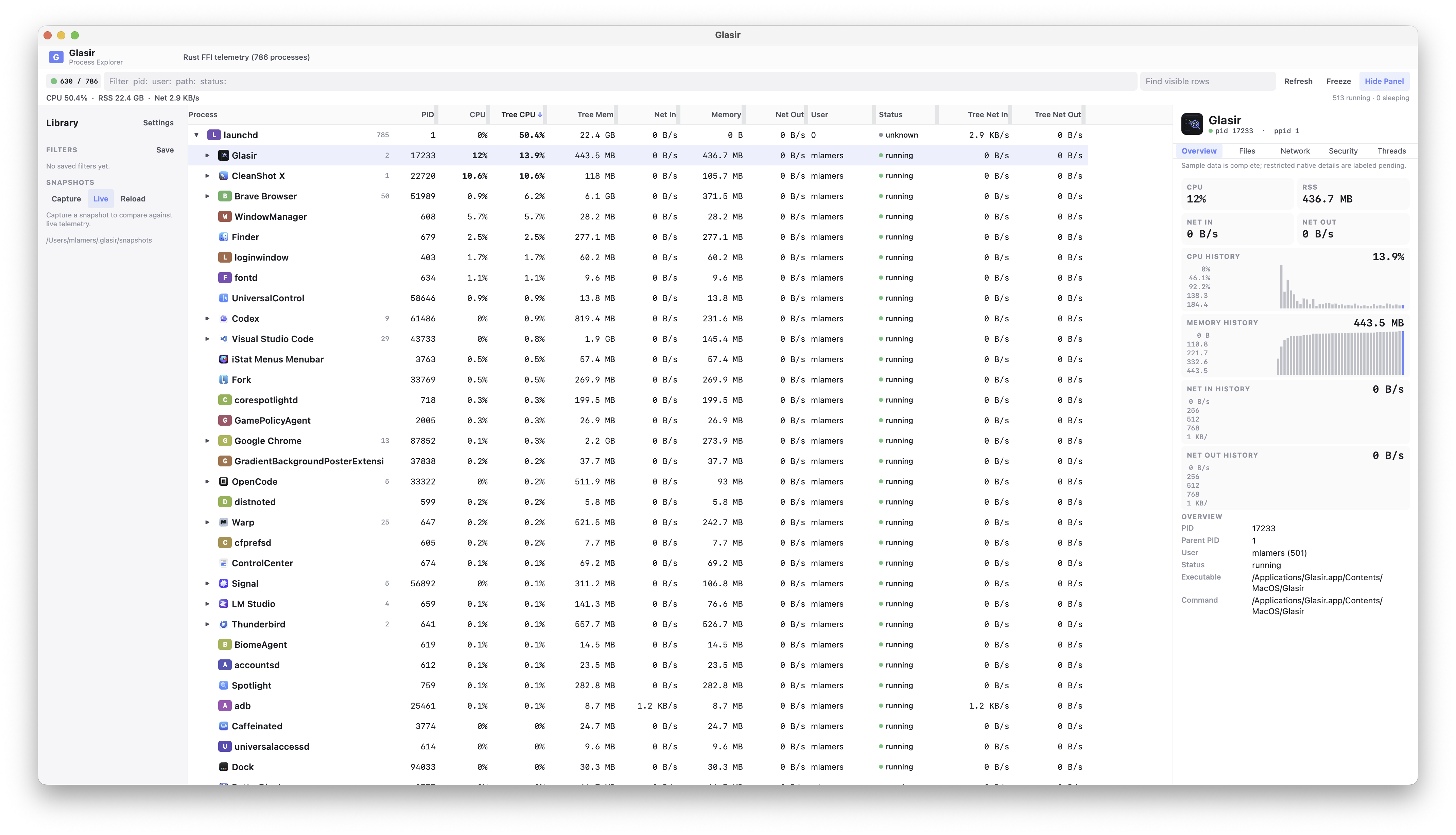
Kotlin Multiplatform + Rust | Glasir | In progress |
They all share the same Rust library to actually access the process information but differ slightly in the UI and features.
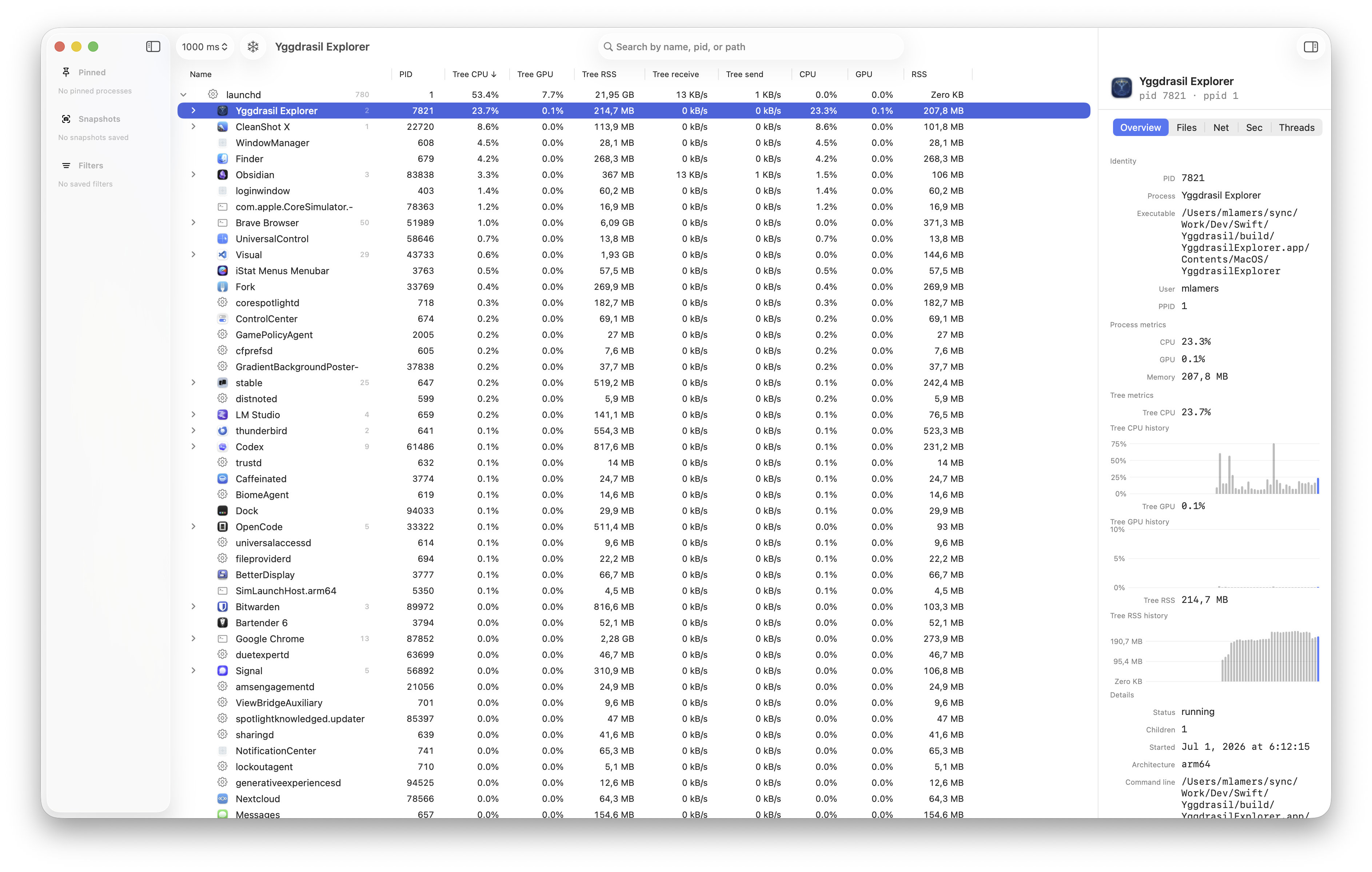
Yggdrasil has the most advanced feature set as it includes a dedicated helper to access more information of system processes and also provides a document preview for exported snapshots. This was just me trying to do as many macOS specific things as possible 🤣.
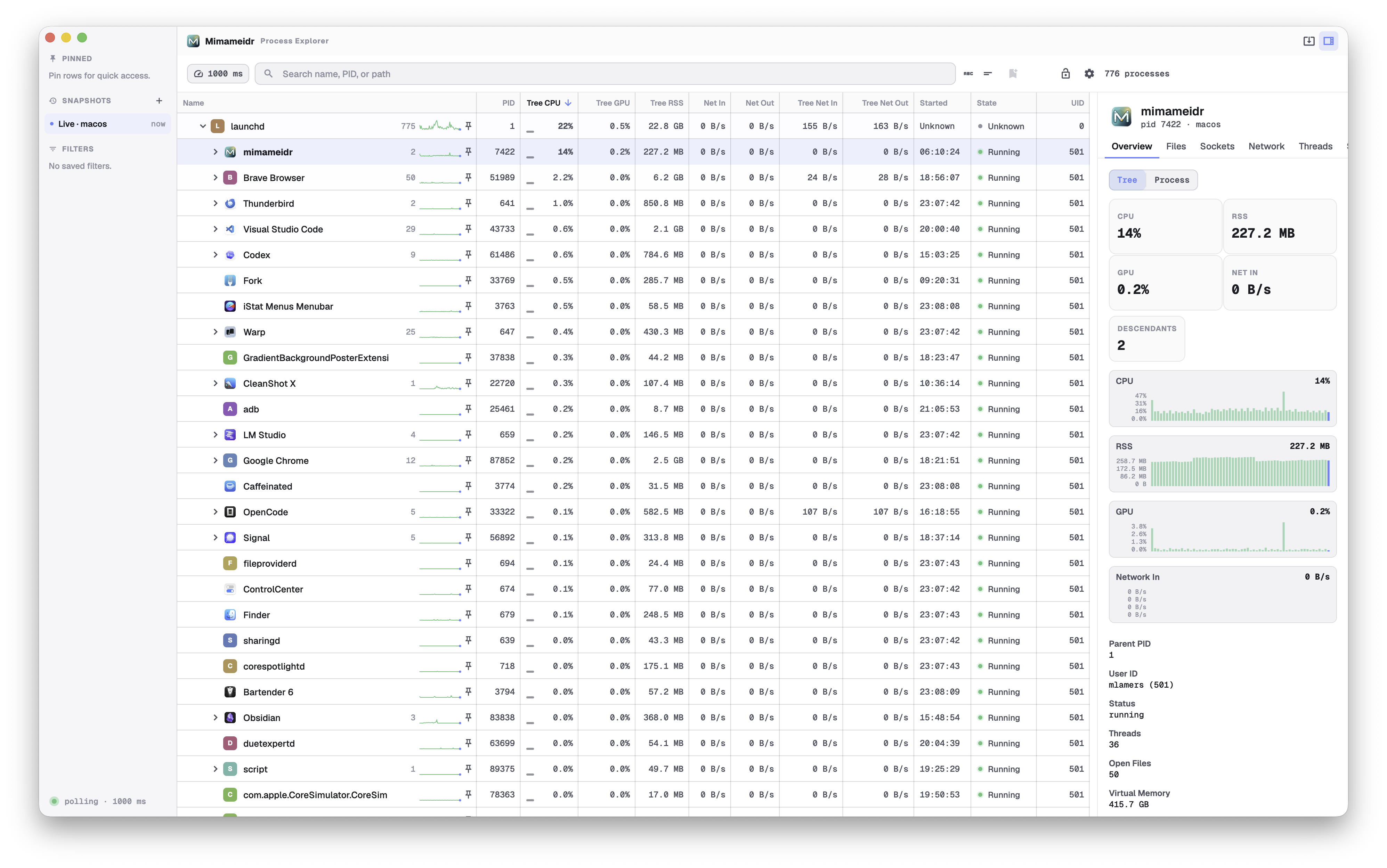
Mimameidr is a close second. It lacks the helper and the document preview but other than that it is very similar in terms of feature set. It even has some more advanced ways of showing the graphs (you can switch between tree and process only).
Glasir is in the middle of development and I’m not sure if I will put as much work and love into that one as I did into the other two. More on that later.
The different applications
Yggdrasil
I started with this one as I needed an Activity Monitor replacement for macOS. I was curious how Swift UI feels (from a developer perspective) and to get the best possible performance and memory usage I decided to implement the backend in Rust.
As you can imagine, I barely did any implementation manually myself. I just gave the architectural boundaries, my key constraints and then iterated together with different AI models to implement the application.
I then did code reviews to understand what the AI was doing and to give feedback on things like break up things into smaller pieces, have clear responsibilities, and so on.
This worked quite well until we added the network data. The first implementation was a bit - unfortunate - and consumed way too much CPU so I decided we need to poll this data less frequently and asynchronously. This opened a really big can of SwiftUI worms that I was totally not prepared to face.
The application crashed at random times with super weird exceptions. All the measures we (I and the different agents) tried only reduced the probability of the crash happening but it was not fixed.
Turned out that the way the SwiftUI Observable system is used in Yggdrasil is not really designed to handle asynchronous data updates and cause corrupted state left and right. We switched to ObservableObject and that fixed the issue.
In the meantime we also find a much better way of getting the network data (long-lived streaming nettop process) which also reduced the CPU usage significantly.
Developing Yggdrasil was quite nice. Swift integrates nicely in Xcode and including Rust in the build process was possible using pre-build scripts.
I’m quite happy with the result. I’m sure there are still a ton of bugs in Yggdrasil but it is totally usable and does its job.
I also suspect this is related to Yggdrasil’s higher CPU usage later on: SwiftUI diffing a model that is being mutated by frequent asynchronous updates is inherently more expensive, and that’s the price of the native feel.
Mimameidr
As you know I experimented (a while ago) with a Flutter terminal application. It never reached production (Warp came out) but I was super curious what the current state of Flutter desktop is. So I decided to implement the process explorer in Flutter and Rust as well.
This worked super well. Having the Rust layer already available and somewhat battle-tested made it super easy to just concentrate on the UI and it’s resource usage. The biggest challenge with Mimameidr was to get a UI that does not scream “I’m an Android app ported to the desktop” (= Material Design). I think Opus, GLM and myself did quite a good job to achieve that. The idea was to not just copy the macOS UI but to have something that can feel right on any platform. But you can judge for yourself 😀.
Development was straight forward. Thanks to the new hook system integrating the Rust build into the Flutter build was easy and is done by the rust flutter bridge. Before that system (which was introduced not so long ago) this would have been a problem as it would have involved manually calling scripts that orchestrate the build and Rust library integration.
Glasir
Given the work that Jetbrains is doing with Kotlin Multiplatform the next step was to also try to implement the process explorer with Kotlin Multiplatform and Rust. My Kotlin days were quite a while ago and I was curious how the current state of Kotlin Multiplatform is. Especially for desktop applications.
Similar to Flutter they own every pixel (at least on macOS) and you define the UI using Jetpack Compose. Under the hood they use Skia to actually render the UI. Very similar to Flutter.
Building the app was quite easy. Kotlin benefits from the fact that it uses Gradle as a build system which makes any kind of customization easy. Integrating a build for the Rust layer was no problem at all.
Android Studio support for Kotlin also is first class.
Comparison
Approach
I have 4 key metrics and more soft criterias for comparison:
Key metrics (Release build, no debugging, no profiling):
- bundle size
- memory usage
- CPU usage
- startup time
The more soft criterias are things like
- Does it feel right? (not even native, that can’t be compared really)
- How easy is it to actually implement the UI and the features?
- How easy is it to optimize the application for performance and memory usage?
This is not a scientific comparison and the data I gathered is the average from ~5 runs. The goal here is to get a rough ballpark of how the different frameworks compare to each other.
The 3 different applications have feature parity in the areas that matter for this comparison. This means all of them do a 1s polling of process data, they render a tree that includes all the process metrics (process only and subtree), they all show app icons of the processes and all of them order the processes by Tree CPU (subtree CPU usage) to have some movement in the tree.
Results
Test system: MacBook Pro 14” (2023) with Apple M2 Pro, 32GB RAM, macOS Tahoe 26.5
| App | Launch to process tree visible | CPU usage | RSS | DMG size |
|---|---|---|---|---|
| Yggdrasil | ~1s | 8%-22%, mostly around 15% (1s polling interval) | 200-240 MB | 10 MB |
| Mimameidr | ~200 ms | 11%-18%, mostly around 14% (1s polling interval) | 200-230 MB | 27 MB |
| Glasir | ~2-3s | 8%-19%, mostly around 11% (1s polling interval) | 480-520 MB (we may have a memory leak somewhere, but I didn’t investigate that yet) | 73 MB |
In terms of the other criteria I have to say that Yggdrasil felt right at home on macOS. That was expected.
As already written Mimameidr really felt off without customizing the UI. I think Flutter needs to get a better design language than Material. Maybe it’s just me but it feels quite outdated and cheap in a way.
Glasir is OK. The default setup already looked quite good and with some polish it can look really good as well. It suffers from the same issues that Mimameidr is suffering from: You need to put extra effort to not make it feel awkward on macOS (or any platform). Things like the context menu are a prime example for this. Without any additional work or 3rd party plugins Flutter and KMP are rendering the context menu in their frame buffer. This means that the context menu can’t leave the main window and does not have the shadows and so on that you would expect. I did not investigate if there are solutions already available for KMP but for Flutter for example there are plugins that do exactly that (use a native context menu).
I did not yet try to implement the document preview or the helper application to see how difficult it will be to integrate those into Mimameidr (and Glasir). Maybe I will do that in the future and then report back.
The big disadvantage of Swift will show once we move to other platforms 🤣 We will have to go that route with Mimameidr and Glasir only I guess.
Summary
As you can see the resource usage is quite similar for Yggdrasil and Mimameidr. I was really impressed by the launch time of Mimameidr as it feels instant. Glasir is the disappointment in terms of resource usage — ironically it actually wins on CPU (~11%), but the RAM usage, DMG size and startup time are noticeably high. I think this is where Compose Desktop can’t hide its JVM heritage: the desktop UI specifically runs on the JVM (Skia rendering and all), whereas KMP itself can also target non-JVM runtimes, so this is less a verdict on Kotlin than on the Compose Desktop target.
I think even with heavy optimizations this won’t reach Swift or even Flutter levels for this kind of application.
I’m already curious to compare KMP and Flutter on other platforms like Linux or Windows to see how they compare there. But this will be a topic for another blog post.